
Career Advice
SHHH.WORK: the stealth job-hunting platform that hides in plain sight
The jobs.com.cy network's latest product lets you search, match and apply for jobs through what looks like a weather app, a calculator or a music player. Here is how it works — and why the panic button is the feature everyone reaches for.
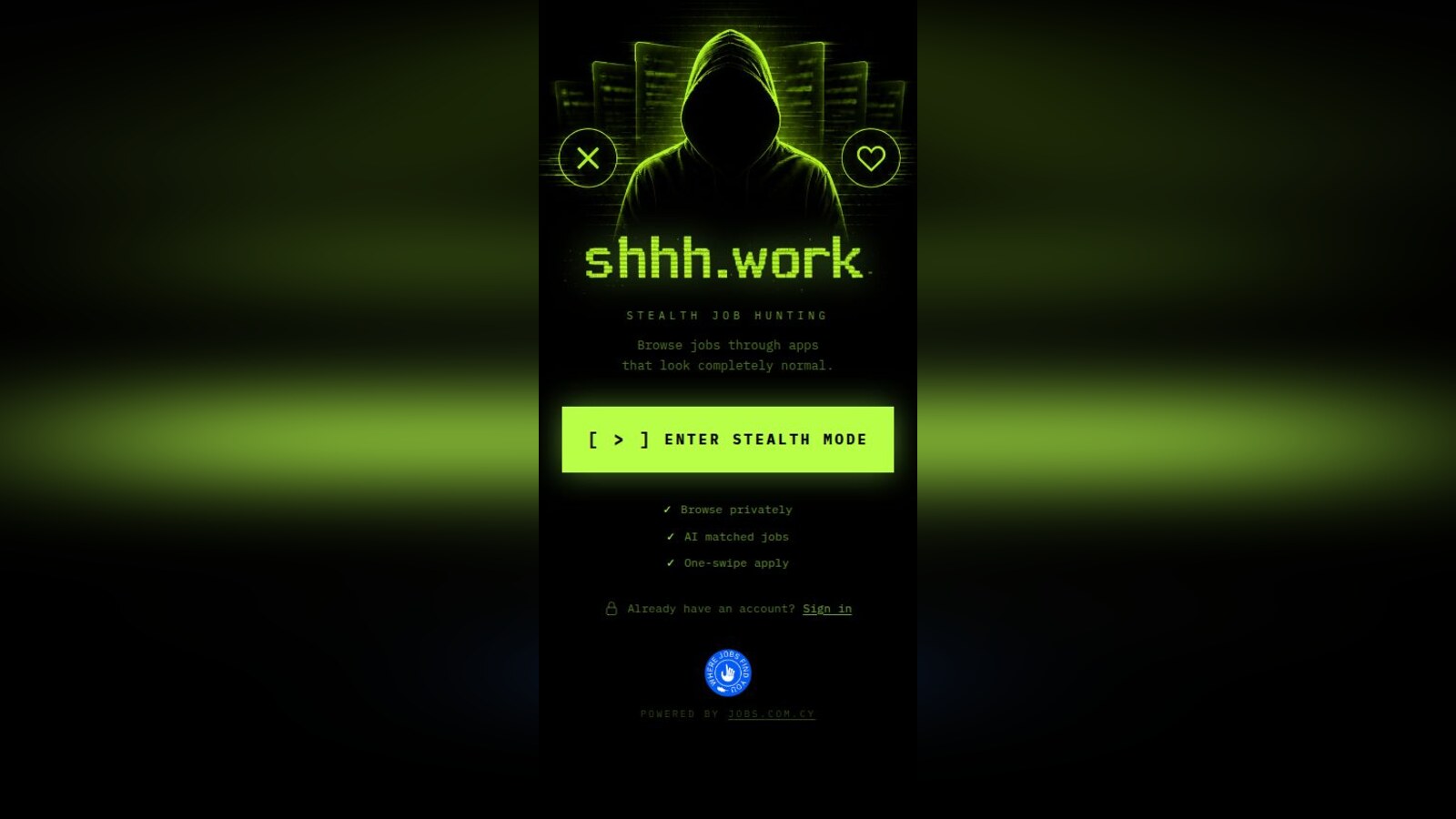
Job hunting while employed has always required a double life. You cannot update your LinkedIn to "Open to Work" without your manager seeing it. You cannot take a mysterious Friday afternoon off for an interview without raising eyebrows. You cannot sit on a packed commuter bus, phone in hand, browsing job listings while the person next to you reads every word over your shoulder.
The tools available to navigate this have been, for the most part, laughably unsuited to the task. Job boards are designed to be public. Profile updates broadcast your intentions. And nothing about the experience is built for the reality of doing it on a train, in a café, or thirty seconds before your manager walks past.
SHHH.WORK is built for exactly that reality.
What is SHHH.WORK?
SHHH.WORK is a stealth job-hunting platform built from the ground up for people who are already employed — and need to keep it that way while they look for something better.
It is a mobile-first web app that disguises itself as something completely innocent: a weather app, a calculator, a music player, a notes app. Whether you are sitting in an open-plan office, commuting on a packed train, or waiting in a café, nobody around you knows what you are actually doing. Underneath that disguise is a fully functional job matching platform — one that collects your preferences, matches you to live positions, and fires off professional applications to companies on your behalf.
No cover letter. No public profile. No digital trail.
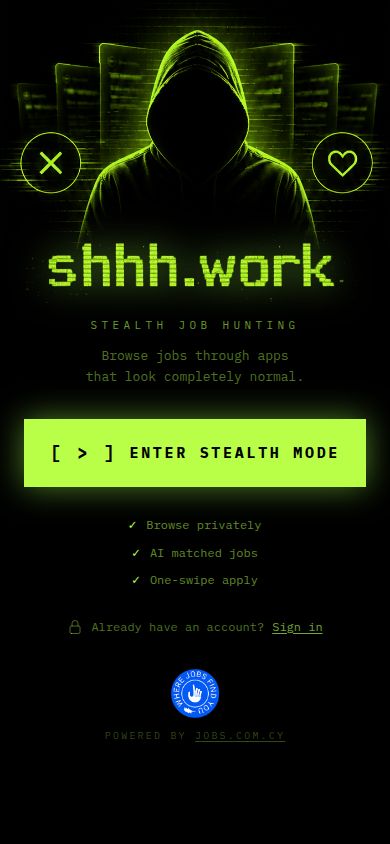
SHHH.WORK is part of the jobs.com.cy network, Cyprus's established online recruitment platform — which means the jobs behind the disguise are real, sourced directly from active employers, with real hiring managers on the other end.
The problem it actually solves
Ask anyone who has looked for a job while employed and the anxiety is the same. The boss problem is obvious — your employer finding out you are looking is, at minimum, deeply awkward, and at worst, career-ending.
But the visibility problem goes further than most people name directly.
Think about where job searching actually happens:
- On the morning commute, standing in a crowded train carriage
- During a lunch break in a shared canteen or a busy café
- In an open-plan office where anyone walking past can glance at your screen
- On the bus home at the end of a long day, tired and less vigilant than usual
- In a waiting room, surrounded by people who may or may not know your employer
In every one of those situations, a colleague, a neighbour, a stranger — or your manager sitting two rows behind you — can see exactly what is on your screen. SHHH.WORK eliminates both threats simultaneously.
How it works
Step 1: Set up your profile once
When you first open SHHH.WORK, a fast onboarding flow asks for your current job title, seniority level, the roles you are targeting, your key skills, where you are based and where you are willing to work, and your salary expectations. You can also upload a CV.
The profile is built once. You never rewrite your experience for each application. The platform holds everything and transmits it on your behalf whenever you choose to apply.
Step 2: Choose your cover
Before you start browsing, SHHH.WORK asks you to pick a stealth mode — the disguise the app will show whenever you are using it in public. The cover modes are not mockups or static screenshots. They are fully functional interfaces built to pass casual inspection in real-world conditions.
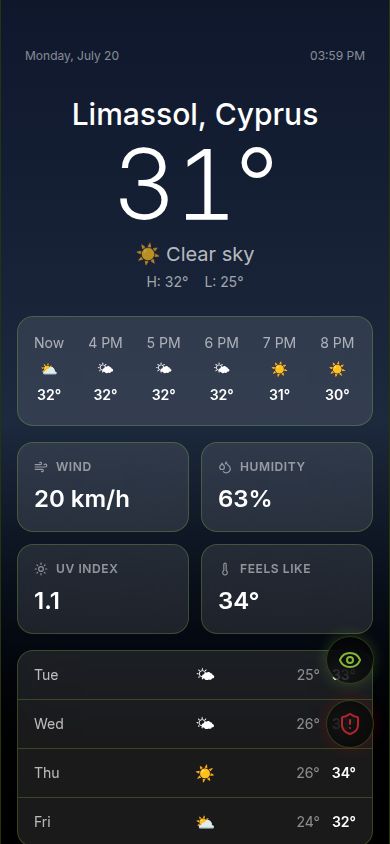
Weather App — a fully animated, location-aware weather interface with hourly and daily forecasts. If someone taps your phone, the weather updates.
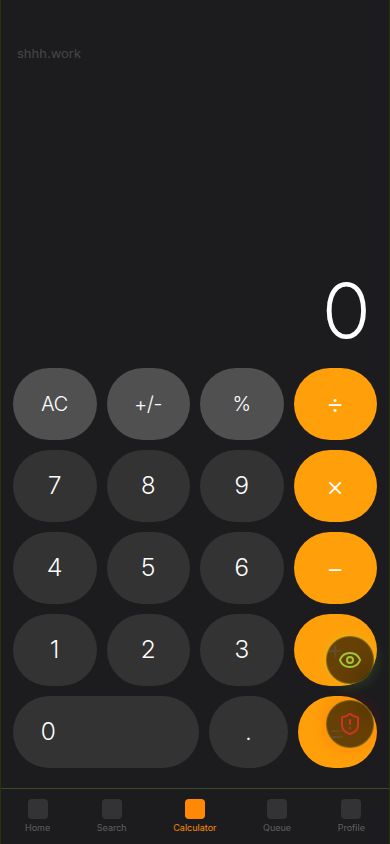
Calculator — a working calculator that crunches real numbers, with a standard layout that looks exactly like the system calculator on any phone.
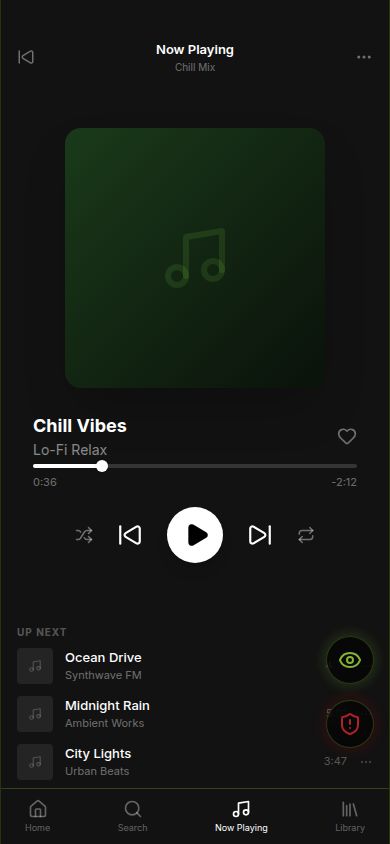
Music Player — an album art interface with playlists, playback controls, and an up-next queue.
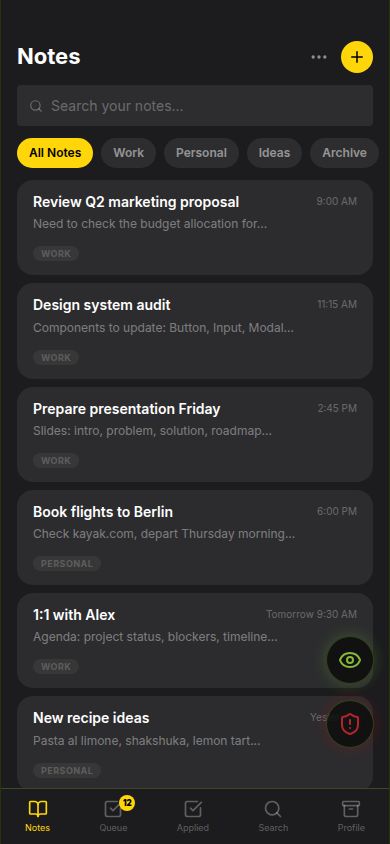
Notes App — a functional notepad sorted into Work, Personal, Ideas and Archive tabs, with notes you can actually type and save.
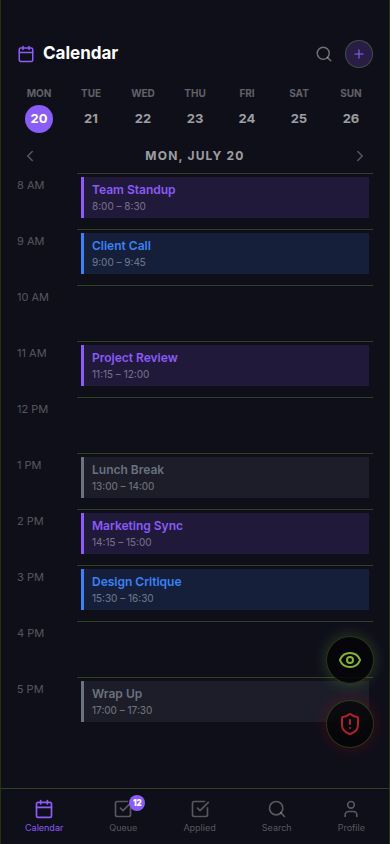
Calendar — a weekly and monthly calendar view with a typical event layout — meetings, breaks, tasks — exactly as you would expect from any productivity app.
News Feed — a scrollable editorial news interface with top stories, finance, tech and world sections.

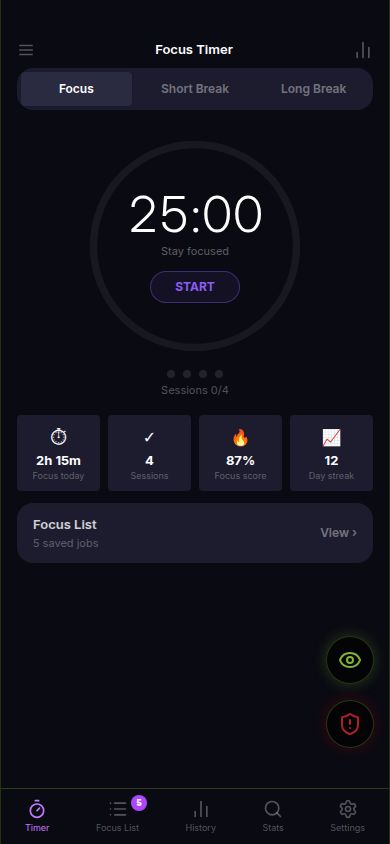
Focus Timer — a Pomodoro-style concentration timer with session tracking and a Focus List that, in a particularly clever touch, can hold saved jobs you want to revisit.
The disguise has to hold up to a curious colleague, a nosy seatmate, and a manager who glances over at the wrong moment. According to the design brief, it does.
Step 3: Browse jobs — invisibly
Inside the app, job listings appear as cards you swipe through — a familiar mechanic, but applied to careers rather than dating. Each card initially shows only the essentials: job title, location, work mode, and salary range. The company name is hidden until you tap to reveal it — so even if the person beside you on the commute glances over, they see a job title at most.
A deliberate tap reveals the full company details and job description. You can then apply immediately (sends your full profile to the company), skip (removes the card), or apply to all matched listings in a single tap.
No forms. No uploading documents mid-commute. SHHH.WORK composes and sends a complete, professional application email — your details, skills, salary expectations and CV — fully formatted, to a real hiring inbox.
Step 4: Confirmations come only to you
When you apply, a confirmation lands in your personal email listing every role you applied for. Companies receive a separate, professional notification with your full profile. Neither party has visibility into how many other applications you sent or when.
Step 5: The panic button
This is the feature that makes people smile when they see it — and reach for it more than they expected.
A panic button is built into the interface at all times. One tap flips the entire screen instantly to your chosen cover mode. No animation, no loading delay. It becomes a weather app. Or a calculator. Whatever you picked.
There is also a gentler eye-icon toggle — for unhurried switching between the job interface and the cover — that floats within thumb reach at all times alongside the panic button. Both appear in the corner of every screen, always accessible, never intrusive.
Who is it built for?
The commuter. Forty minutes a day of prime job-search time — currently wasted because of who might be watching. SHHH.WORK turns the commute into a productive, private session.
The open-plan office worker. Hot desks, glass walls, wandering colleagues. SHHH.WORK on your phone looks like a calculator or a notes app. Nobody flags it.
The quietly dissatisfied employee. Three years in the same role. Not miserable — just not growing. You would leave for the right opportunity, but not until you have one in hand. SHHH.WORK is built for exactly this moment.
The high-profile professional. Senior enough that your job search would become news. A VP browsing LinkedIn is noticed. SHHH.WORK gives you a channel that does not exist in the public record.
The cautious career changer. You want to pivot, but you need to test the market before committing. You cannot signal that publicly before you have somewhere to land. SHHH.WORK lets you probe quietly.
The technology
No public candidate profile. Unlike LinkedIn or traditional boards, SHHH.WORK never publishes your details. Your profile exists only inside the platform and is transmitted directly to employers when you choose to apply.
No app store download required. Open it in your phone's browser, add it to your home screen, and it is indistinguishable from any other app on your device.
Email-based applications. When you apply, the company receives a professional email directly. Your application lands in a human inbox — which, for the right companies, is a meaningful advantage over being buried in an applicant tracking system queue.
No data brokering. The platform is operated by jobs.com.cy, whose business model is matching — not selling behavioural data to third parties.
The Jobs.com.cy network behind it
SHHH.WORK is a product of jobs.com.cy, Cyprus's established online recruitment platform. The jobs behind the stealth interface come from real companies with active hiring needs — not scraped listings or ghost postings. When you apply, your email reaches real hiring managers and HR teams who are expecting applications from the platform.
That institutional backing is what most stealth job tools lack: actual roles worth applying to, and actual humans on the other end ready to respond.
To try SHHH.WORK: visit shhh.work on your phone, sign up in under 60 seconds, set your profile, pick your cover mode, and start browsing. No CV required to get started — though it helps when you apply.
FAQ
Frequently asked questions
What is SHHH.WORK?
SHHH.WORK is a stealth job-hunting platform built for people who are already employed. It disguises itself as a normal phone app — weather, calculator, music player, notes, calendar, news, or focus timer — while quietly matching you to jobs and sending professional applications on your behalf. It is part of the jobs.com.cy network.
How does the panic button work?
A panic button is always visible in the corner of the interface. One tap instantly replaces the entire job-hunting UI with your chosen cover mode — no animation, no loading screen. There is also a gentler eye-icon toggle for unhurried switching between modes.
Are the cover modes real apps or just screenshots?
They are fully functional interfaces. The weather app shows real, location-aware forecasts. The calculator performs real arithmetic. The notes app saves real text. Each cover is designed to pass inspection if someone else taps your phone.
Does SHHH.WORK post my CV publicly?
No. Your profile exists only inside the platform and is transmitted directly to employers when you choose to apply. There is no searchable public candidate database — your details are never indexed or broadcast.
Do I need to download an app?
No. Visit shhh.work in your phone's browser, add it to your home screen, and it is indistinguishable from any other installed app on your device. No app store required.
Is SHHH.WORK available for jobs in Cyprus?
Yes. SHHH.WORK is operated by jobs.com.cy, Cyprus's established online recruitment platform. The roles listed are sourced directly from Cypriot employers with active hiring needs — not scraped or reposted from other boards.

About the author
Barry Davies
Founder, Cyprus Job Finder
Barry Davies is the founder of Cyprus Job Finder and the wider Jobs.com.cy network. He has spent over a decade tracking the Cyprus employment market first-hand — from Limassol's forex and technology sector to seasonal tourism hiring across the island. Every guide here is written from the network's live listing data and on-the-ground editorial research, not recycled from elsewhere.
Keep reading
Related articles

Career Advice
TalkEmily: the AI recruiter that replaces your Cyprus job application with a 5-minute voice chat
Built on Jobs.com.cy and powered by OpenAI voice AI, TalkEmily lets Cyprus job seekers and employers skip the forms — just talk for five minutes and get a personalised follow-up.
7 min read

Career Advice
Best job sites in Cyprus 2026: where to actually apply
Most Cyprus job-board lists are five years out of date. Here's the honest 2026 ranking — which sites get answered, which industries each one covers best, and which ones to skip entirely.
6 min read

Career Advice
Recruitment agencies in Cyprus 2026: are they worth it?
How recruitment agencies really work in Cyprus, which sectors they dominate, what they cost you (nothing — and why that matters), and how to use them without getting ghosted.
8 min read